Quoting software is a tool for building, sending and tracking price quotes. Instead of retyping prices and client details into a Word or Excel template, you build the quote from saved records, send it as a document, and see which quotes are still open. Small businesses usually get the best result from quoting that lives inside their CRM, because the quote is tied to the client and the deal, and an accepted quote can turn into an invoice. This guide explains the types, the features that matter, and what to check before you choose.
What quoting software does
A quote is a promise of a price. Doing it by hand goes wrong in familiar ways. The template is out of date, nobody knows which quotes were sent, and the accepted quote is retyped into an invoice.
Quoting software fixes the repeat work:
- Builds the quote from saved details. Client name, address and line items come from your records, not from memory.
- Produces a clean document. A PDF (sometimes Excel) with your branding and a number.
- Sends it. Usually by email from inside the tool.
- Tracks it. You can see which quotes are draft, sent, accepted or expired.
- Carries on to an invoice. An accepted quote becomes the invoice, so the lines are not typed twice.
The four kinds of quoting software
| Type | What it is | Best for | Watch out for |
|---|---|---|---|
| Standalone quoting tool | A tool that only builds and sends quotes | A one-person business with no CRM | Client details sit in a second place |
| Invoicing or accounting software with quotes | Quotes are a step before the invoice | A business that mostly needs to get paid | No pipeline, so you cannot see deals |
| CRM with quoting | Quotes are built on the deal | A team that sells to clients and follows up | Check the quote document and the invoice step |
| CPQ | Configure, price, quote, for complex products | Large catalogues with tiered pricing and approvals | Heavy set-up that most small businesses do not need |
Nutshell, a US CRM vendor, makes the same split on its guide to quote management software: CPQ tools such as Salesforce CPQ and Oracle CPQ are built for complex enterprise sales with large catalogues and approval layers, while most small businesses need simpler quoting (Nutshell, opened 2 November 2026).
Why quoting inside a CRM works better
A CRM already holds the client, the contact and the deal. When the quote is built on that deal:
- The client details are not typed again.
- The deal value and the quote agree, because they are one record.
- Your pipeline shows which deals have a quote out.
- When the client says yes, the next step (an invoice or a job) starts from the same record.
If you are still choosing a CRM, Best CRM Software in South Africa for Small Business (2026) compares the options, and How Much Does a CRM Cost in South Africa? (2026 Guide) covers the price. If the question is what a CRM is in the first place, start with Cloud-Based CRM Software: What It Is and How to Choose.
What to look for
Do not tick every feature. Check these:
- Can the quote be built on the deal? Client and deal details should come from the CRM.
- Is the document good enough to send? Look at the PDF, not the screenshot. Does it carry your company details and a quote number?
- How does the client accept? Some tools offer e-signature or an online accept button. Others leave acceptance to you. Know which you are buying.
- What happens to a quote you change? You want a new version, not an overwritten one, so you can see what the client was sent.
- Does an accepted quote become an invoice? This is where the time saving is.
- Does it work with your accounting? If you use QuickBooks Online or Xero, check whether quotes and invoices sync.
- What do extra users cost? Per-user fees add up as the sales team grows.
For quotes that need VAT worked out and a South African tax invoice at the end, see Accounting Software in South Africa: SARS and VAT Rules. If your quotes live in an Excel file today, How to Replace Spreadsheets with Software in South Africa shows what to move first.
How quoting works in Syniq
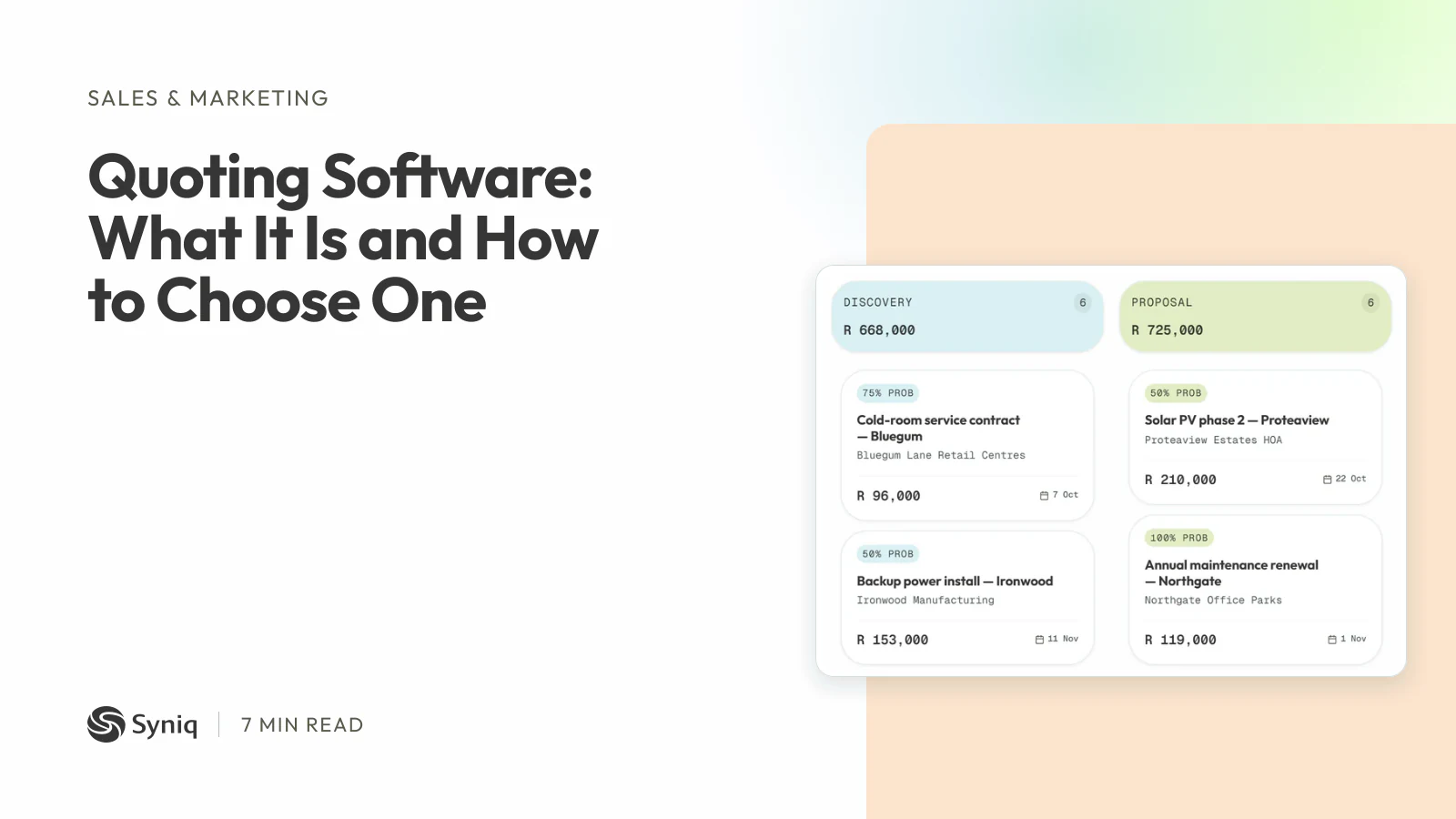
Syniq Sales is the CRM app. The quote is built on the deal. You can download it as a PDF or email it from the app, and the email history is kept with the quote. A quote has a valid-until date and a status, and it can expire.
- Revisions keep the old version. Revising a quote creates a new draft with its own quote number. The old version becomes read-only and its PDF is archived.
- Accepting generates the invoice. When a team member accepts the quote, the invoice is generated from its lines and goes for sign-off. The accepted quote then cannot be revised.
- Large deals wait for approval. Deals worth more than R 50,000 wait for an approver before they go ahead.
- It connects to QuickBooks Online. Customers, vendors, invoices, quotes and purchase orders sync both ways.
Starter costs R 47 a month, billed annually, for one user and any two apps. Professional costs R 159 for one user and all six apps. Business costs R 559 for five users and all six apps. Syniq is not VAT-registered, so no VAT is added.
It is not the right fit for everyone:
- Syniq has no e-signature, and the client cannot accept a quote online. A team member marks it accepted.
- Syniq has no product configurator, so it is not CPQ software.
- Syniq connects to QuickBooks Online, not to Xero or Sage.
If you want quotes, the pipeline and invoices in one system, see Syniq Sales or start a 14-day free trial.